Uniden BCD396XT · Volume 3
Uniden BCD396XT — Vol 3: Programming
P25 Phase I DynamicDMA handheld
3.1 Programming workflow
The 396XT’s programming workflow is mature and well served by third-party software. The radio supports manual entry from the keypad (tedious but always available); for any serious codeplug work, program from a PC.
Before programming, update the firmware. The final release (1.11.01) improves P25 decoding, especially on simulcast sites. The BC_VUP procedure is in Vol 5 — Upgrades & Firmware.
Connection — there is no USB port. The 396XT connects to a PC through its 4-pin GPS/Remote Interface jack, using Uniden’s USB-1 cable — a USB-to-serial adapter built on a Prolific PL2303 chip, and the only cable Uniden supports. Install the Prolific driver from Uniden’s USB-1 driver page (older cables use the PL2303HXA chip, newer ones the PL2303HXD, and the older chip needs an older driver), then find the assigned COM port in Device Manager → Ports (COM & LPT). The same jack and cable serve GPS input, PC control, firmware updates, and wired cloning between two 396XTs. If software can’t talk to the radio, check the scanner’s PC Control baud-rate setting.
Software options. Uniden publishes no programming software for the 396XT, and Sentinel does not support it, so the choices are third-party:
Table 1 — Software options. Uniden publishes no programming software for the 396XT, and Sentinel does not support it, so the choices are third-party
| Software | Cost | OS | Strength | Weakness |
|---|---|---|---|---|
| FreeScan (Sixspot Software) | Free | Windows (.NET 4.0) | The community’s practical choice for 396XT programming; RadioReference import (Premium subscription required for direct import) | Last release 2.18 (2015); no Uniden support |
| ProScan | $50 lifetime license (two PCs) | Windows | Polished UI; live monitoring + recording; preferred by power users | Cost |
| Butel ARC XT | BASIC $39.95 / PRO $69.95 | Windows | Full-featured programming and control | Less community traction than FreeScan in North America |
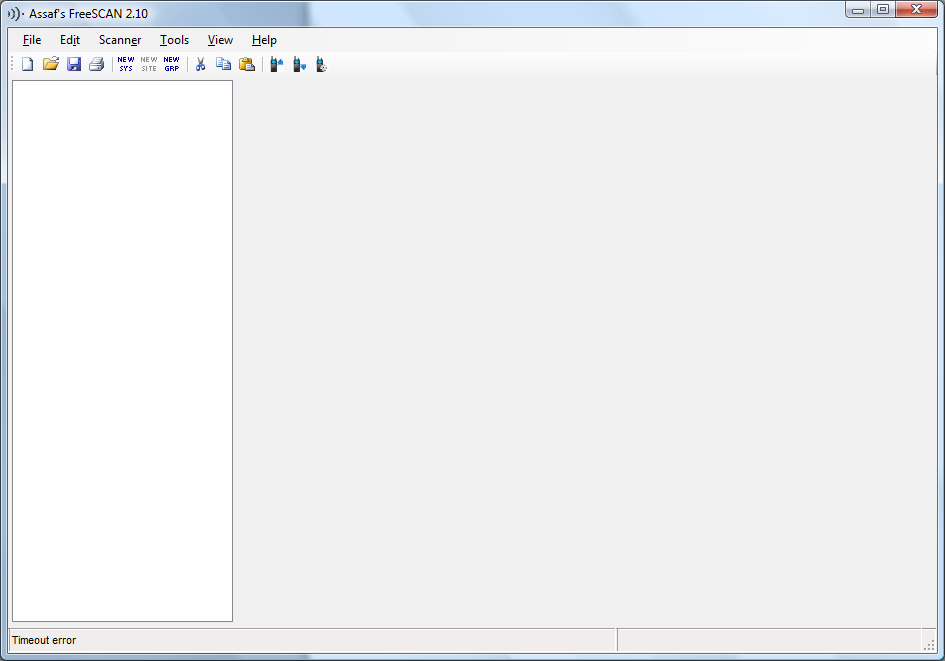
For the 396XT specifically, FreeScan is the practical choice. It is free, well known in the community, and exposes the radio’s programming as an editable tree (systems → sites → groups → channels) with CSV import/export for bulk editing in a spreadsheet. The deep treatment of FreeScan lives in Vol 3. None of these programs updates firmware — that is BC_VUP’s job.
Manual programming reference. Uniden’s 273-page BCD396XT Complete Reference is the keystroke reference for anything done at the keypad — adding a single channel, editing a Quick Key, configuring a P25 system. Keep a copy on a phone for the field. (The local ../manuals/uniden-bcd396xt/manual-html-files/ folder, intended for an extracted HTML manual, is empty.)
Where the programming lives. Everything is held in the radio’s internal memory — up to 25,000 channels and 500 systems; there is no SD card. The PC software keeps its own project file, which is the codeplug you back up.
Note on the .996 files. Two .996 files are archived in programs/uniden-misc/ (AnalogClintonAndShiawassee.996, ClintonAndShiawassee.996). Which radio and program wrote them is unconfirmed; treat them as a source of frequencies — open them in FreeScan or ProScan and review the result carefully before writing anything to the 396XT (see §7 for the migration approach).
Firmware updates. Firmware is updated with Uniden’s BC_VUP utility (version 3.03.00), not with the programming software. The final release is 1.11.01 (announced January 2013). Confirm the radio is running it before any serious deployment — particularly if it has been in storage for years. The step-by-step is in Vol 5 — Upgrades & Firmware.
3.2 Codeplug backups
Codeplug files. The 396XT codeplug archive lives at ../../programs/uniden-bcd396xt/. Most recent backup: TBD — verify which codeplug is the current bench reference. The archive should be append-only — never delete an old codeplug, since “I want to restore the configuration from before the firmware update broke X” is exactly the recovery scenario that a versioned codeplug archive solves.
The .996 files. AnalogClintonAndShiawassee.996 and ClintonAndShiawassee.996 in programs/uniden-misc/ contain Clinton County and Shiawassee County (Michigan) public-safety frequencies. Their value for the 396XT is as a source of frequencies to migrate into a fresh 396XT codeplug — keep in mind that Clinton and Shiawassee systems that have moved to P25 Phase II will not be receivable on this radio.
Backup cadence.
- After every codeplug edit (new system added, quick-key assignment changed, channel group reorganized).
- Before any firmware update — an update is not expected to erase programming, but a known-good codeplug is the recovery path if one goes wrong.
- Before any long deployment — taking the codeplug archive on a thumb drive into the field means a corrupted codeplug can be rewritten in minutes.
Restore procedure. Connect the USB-1 cable → open the saved codeplug in FreeScan (or ProScan / ARC XT) → write it to the radio. The whole cycle takes a few minutes for a typical codeplug (~50-100 systems). A second 396XT can also be cloned directly from this one over a serial cable in Wired Clone mode — a quick way to duplicate a known-good setup.
Naming convention. The recommended filename pattern is bcd396xt-YYYY-MM-DD-{context} plus the software’s own file extension — the date stamps the snapshot, the context disambiguates (daily-driver, road-trip-michigan, field-day-2026, etc.). This matches the per-radio codeplug naming used elsewhere in the project (Vol 1 §6 ↗) and makes the archive self-documenting under ls -lt.
Comments (0)